Managing Booking.com commissions: Mark-up your Rates
Benefits of Using Rental Ninja for Markup Management:
Effortless Markup Management: Solving Real-World OTA Distribution Challenges
Managing Vacation Rental Properties across multiple Online Travel Agencies can be a daunting task. Why so? Each one has different price policies, which vary depending on multiple factors.
One of the key challenges is maintaining consistency and accuracy in pricing and content across all platforms. Rental Ninja, the leading property management software, empowers you to streamline your distribution and effortlessly adjust your markups to optimize revenue and occupancy.
Areas of improvement:
- Time-consuming manual updates for each Platform
- Lack of visibility into markup changes across all listings
Benefits of Using Rental Ninja for Markup Management:
- Centralized control: Manage all distribution channels from a single dashboard.
- Streamlined updates: Easily adjust markups across multiple channels simultaneously.
- Improved accuracy: Ensure consistency in pricing and content across all platforms.
- Time savings: Eliminate the need for manual updates, freeing up your time for more strategic tasks.
- Enhanced revenue: Optimize your pricing strategy by adjusting markups based on market demand and channel performance.
Step-by-Step Guide: Adjust OTAs' Markups with Rental Ninja
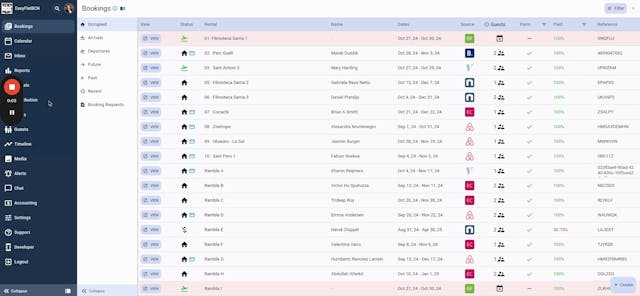
- Navigate to Distribution: Locate the "Distribution" tab within Rental Ninja.
- Select Distribution Channel: Choose the OTA you wish to adjust the markup for (e.g., Booking.com).
- Identify Property: Search for the property you want to modify.
- Open Rate Management: Click on the small arrow icon and select "Manage One Rate."
- Adjust Markup: Enter the desired markup percentage in the "Markup %" field.
- Save Changes: Click "Save" to update the markup on Rental Ninja.
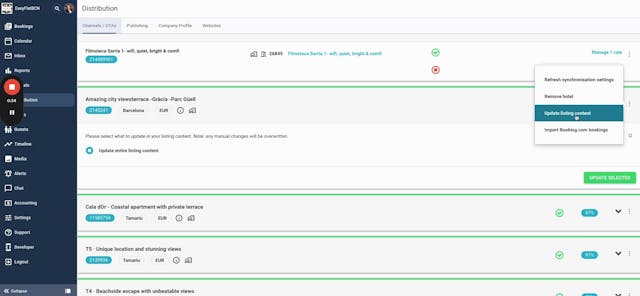
- Update Listing Content: Go back to the Channels Distribution page, search for the property again, and click "Update Listing Content."
- Confirm Update: Select "Update and Dial Listing Content" and then "Update Deselected."